


9 Best Duplicate Photo Finders for Windows 10 and 11
 28.3K
28.3K
 3
3


Key Takeaways
Windows 10 and 11 have a built-in duplicate photo finder. Whether it's helpful enough depends on your needs.
There are many third-party apps available for finding and removing duplicate photos on a Windows 10 or 11 computer.
This article discusses both built-in and third-party choices to help you find the one that best suits your needs.
Duplicate photos are exactly identical photos, regardless of their file names. A duplicate photo finder is a tool that automatically finds duplicate photos and (in most cases) helps you easily remove them.
In this article, I will provide a list of the best of these tools to help Windows 10 and 11 users to make the best choice.
 Cisdem Duplicate Finder
The Best Windows Duplicate Photo Finder
- Identify duplicate images as well as all other types of files, such as videos, audio, documents, etc.
- Detect similar images too
- Support Windows PC, external storage devices, cloud drives, and more
- Find duplicate files in folders, iTunes, and more
- Display duplicate duplicates for you to preview side by side
- Automatically select all but one file for deletion in each set of duplicates, enabling you to remove all duplicates at once
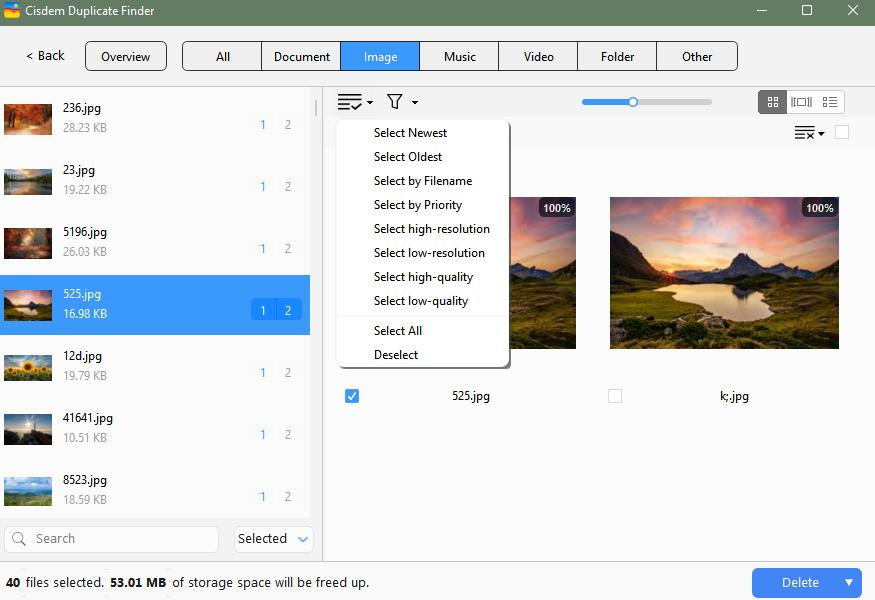
- Also let you select/deselect manually or choose from 8 rules (e.g., Select Newest)
- Easy to use for everyone


The built-in duplicate photo finder in Windows: Is it good enough for you?
Microsoft Photos (simply named Photos on your computer) is a photo viewer and manager coming with Windows 10 and 11. It has a duplicate detection feature, which is of course free to use.
Note
If the app you see on your computer is called Photos Legacy, get Microsoft Photos from the Microsoft Store, since duplicate detection is not available in the legacy version.
Pros
- Included in Windows 10 and 11
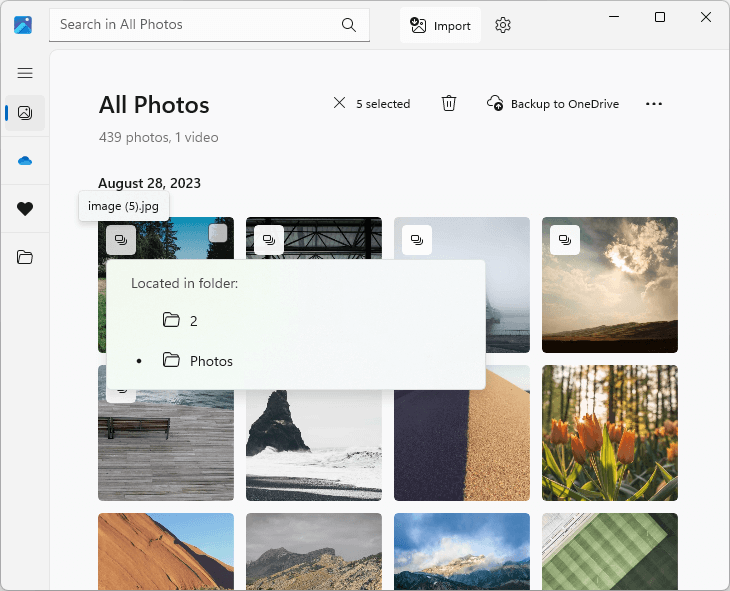
- Capable of detecting duplicate photos with the same file name within and across folders added to Microsoft Photos
- Capable of handling a large photo collection
Cons
- Can’t find same photos that have different file names
- Can’t simplify removal of duplicates, with you having to select unwanted duplicates for removal one by one
Every detected duplicate has a duplicate icon in the top left corner of its thumbnail, so you can easily recognize it.
My Take
This built-in tool can be the best choice if you only want to see if there are any duplicates in your photo collection, or if there are only several duplicates to remove. It's not useful enough if you want to effectively find all identical photos, including those with different names, or if there are many duplicates.
8 best third-party duplicate photo finders for Windows 10 and 11
Before we dive into the list, let's check out these top picks.
3 top picks
Best overall app - Cisdem Duplicate Finder:
- Find identical and similar photos
- Find other duplicate files too
- Side-by-side image previews
- Automatic duplicate selections that facilitate bulk removal
- Enough customization options
- Google for both beginners and advanced users
Best dedicated app - Duplicate Photos Fixer Pro:
- Find identical and similar photos
- Side-by-side image previews
- Auto-selections that facilitate removal
- Enough customization options
- Google for both beginners and advanced users, especially the latter
Best free app - Awesome Duplicate Photo Finder:
- Find duplicate photos and certain similar ones
- Side-by-side image previews
- Easy to use and customize
#1 Cisdem Duplicate Finder
Compatibility: Windows 10 or later
Latest version: 4.5.1, released in November 2025
My take: It helps you remove duplicate photos, similar photos, as well as other duplicates easily, quickly, and safely.
Cisdem Duplicate Finder can help you find duplicate photos as well as other duplicate files on your PC. It supports all image formats, including all camera RAW formats, which can make it particularly a good choice for professionals.
Further Information
In addition to PC, this Cisdem app works with external storage (such as external hard drives and SD cards) and cloud storage (such as OneDrive and Dropbox).
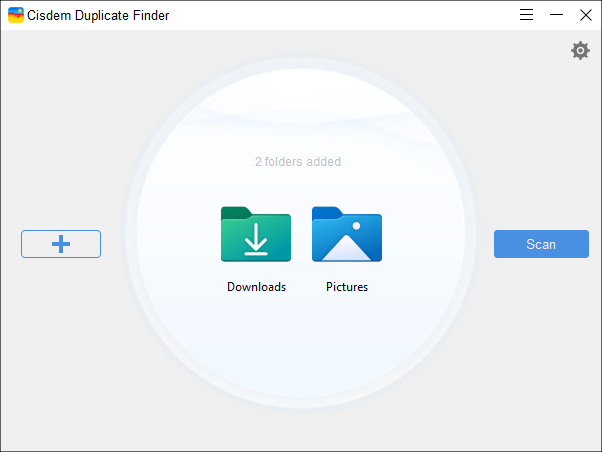
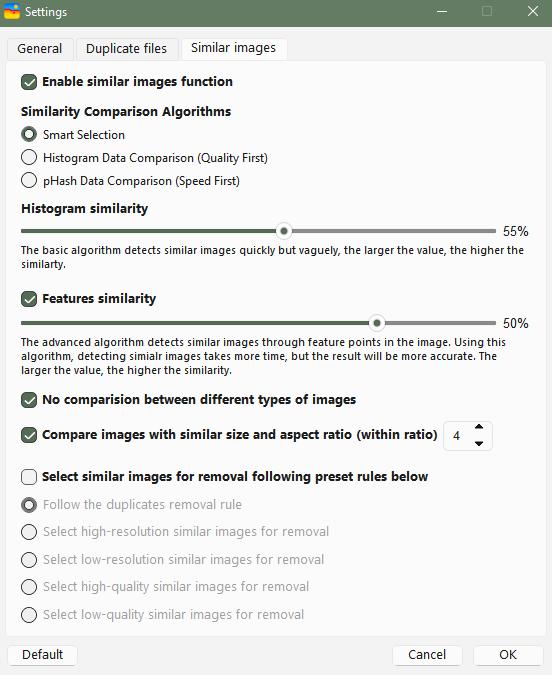
It also scans for similar photos, such as burst mode photos, pictures taken from slightly different angles, and slightly edited (such as resized, rotated, or cropped) versions. You can experiment with different similarity thresholds to get more desirable results.
Further Information
Technically, similar images include images that look the same to the naked eye but are different in formats, file sizes, dimensions, or metadata, and images that look similar.
The app displays found duplicate photos, allowing you to easily sort, search, preview, and examine them. It automatically and intelligently selects all but one photo for deletion in each set of duplicates, so that you can easily remove all duplicates at once. Also, you can manually select/deselect files or choose from preset selection rules.
Pros
- Accurate and quick duplicate detection
- Adjustable similarity thresholds for comparing images in similar image detection
- Let you exclude files and folders from the scan
- Provide 3 view modes, including a side-by-side one
- Make it easy to remove all duplicates at once
- Offer safe removal methods like Move to Recycle Bin and Move to Folder
Cons
- Not compatible with Windows 8.1 or earlier
#2 Duplicate Photos Fixer Pro
Compatibility: Windows 11, 10, 8.1, 8, 7; both 32- and 64-bit
Latest version: 1.3.1086.659
My take: It's a dedicated app to handle duplicate and similar photos, especially the latter.
If you are a photography lover or photo editing enthusiast and want to get rid of the tons of duplicate or similar images on your PC’s hard drive, Duplicate Photos Fixer Pro is worth checking out.
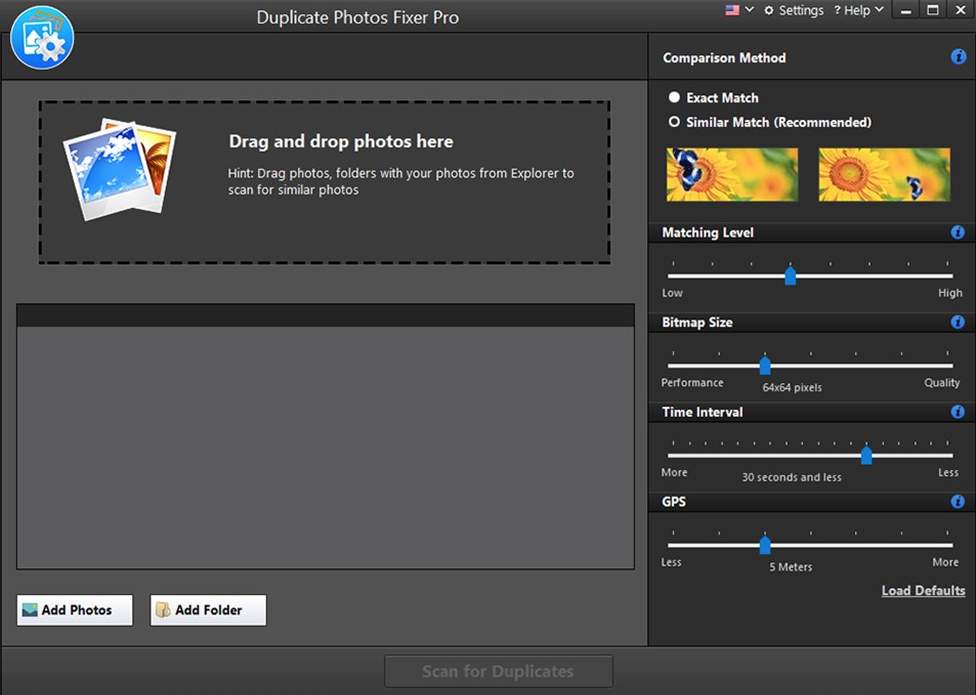
This app provides two comparison methods: Exact Match and Similar Match. The first method scans for duplicates only. The scan results window lets you conveniently view the found duplicates. You can manually select unwanted duplicates to eliminate or just let the Auto Mark feature do it for you.
The Similar Match method can find certain similar images based on your settings. If you have some knowledge of photography, you may find its four settings useful. For example, the Matching Level slider determines how much similarity this app finds between images, which is the most important setting. In the test, the app didn’t find as many similar photos as Cisdem Duplicate Finder did. Adjusting the Time Interval slider can help you find photos taken in burst mode.
Pros
- Reliable duplicate detection
- Pretty customizable similar image detection
- Let you exclude files and folders
- Let you easily view photos and their metadata (metadata can be valuable for professionals)
- Save you from manually selecting duplicates to remove
Cons
- Occasionally freeze when you open the app
- May be a bit expensive, considering that it only works with images
#3 Duplicate Photo Cleaner
Compatibility: Windows 11, 10, 8, 7, Vista, XP
Latest version: 7.23.0.57, release in December 2025
My take: It’s a dedicated duplicate image finder that supports Lightroom Classic.
If you are a photographers or graphic designer who want to get rid of duplicates in Lightroom Classic, Duplicate Photo Cleaner is your choice.
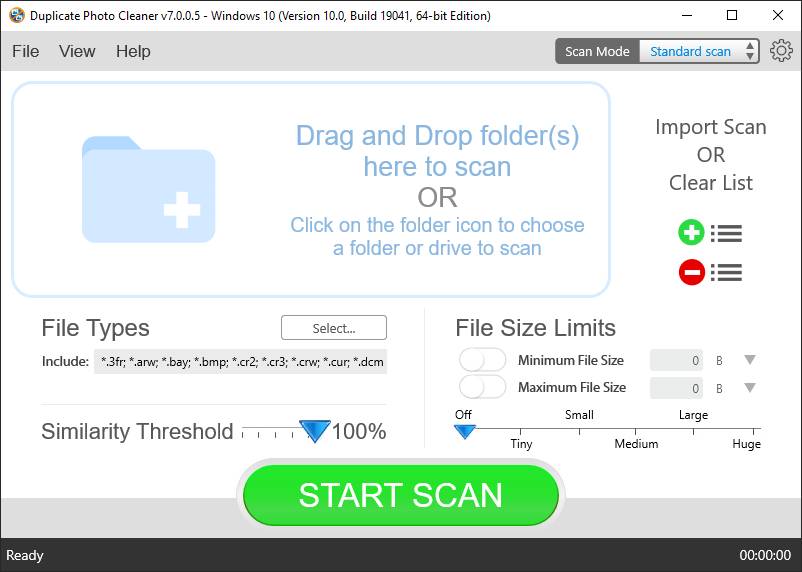
It provides five scan modes, allowing you to scan for duplicate photos (including RAW ones) in folders or Lightroom Classic on your computer. There’s an important scan setting called Similarity Threshold. If you set the threshold to less than 100%, this app will scan for both same and similar photos. A lower threshold will find more similar photos but also more false positives and vice versa. Therefore, you need to find a balance.
In this app, you can find four ways to view duplicate photos, and I recommend the Tree view and the MultiView view. Photo preview and metadata (like camera manufacturer and exposure time) are provided. There are several preset rules to help you effortlessly mass select unwanted copies for removal. Or, you can do it manually.
Pros
- Scan your PC for duplicate images and similar-looking ones
- Support Lightroom Classic
- Allow you to exclude certain photos from being scanned
- Let you export scan results to CSV, Excel, TXT or HTML
- Offer multiple view modes
- Help you bulk select multiple photo duplicates for deletion
- Offer a portable version
Cons
- Take a relatively long time when scanning a large amount of photos
- A little costly
#4 Duplicate Cleaner
Compatibility: Windows 11, 10, 8, 7
Latest version: 5.26, release in November 2025
My take: It’s a sophisticated app to remove duplicate photo files and other types of duplicate files on Windows.
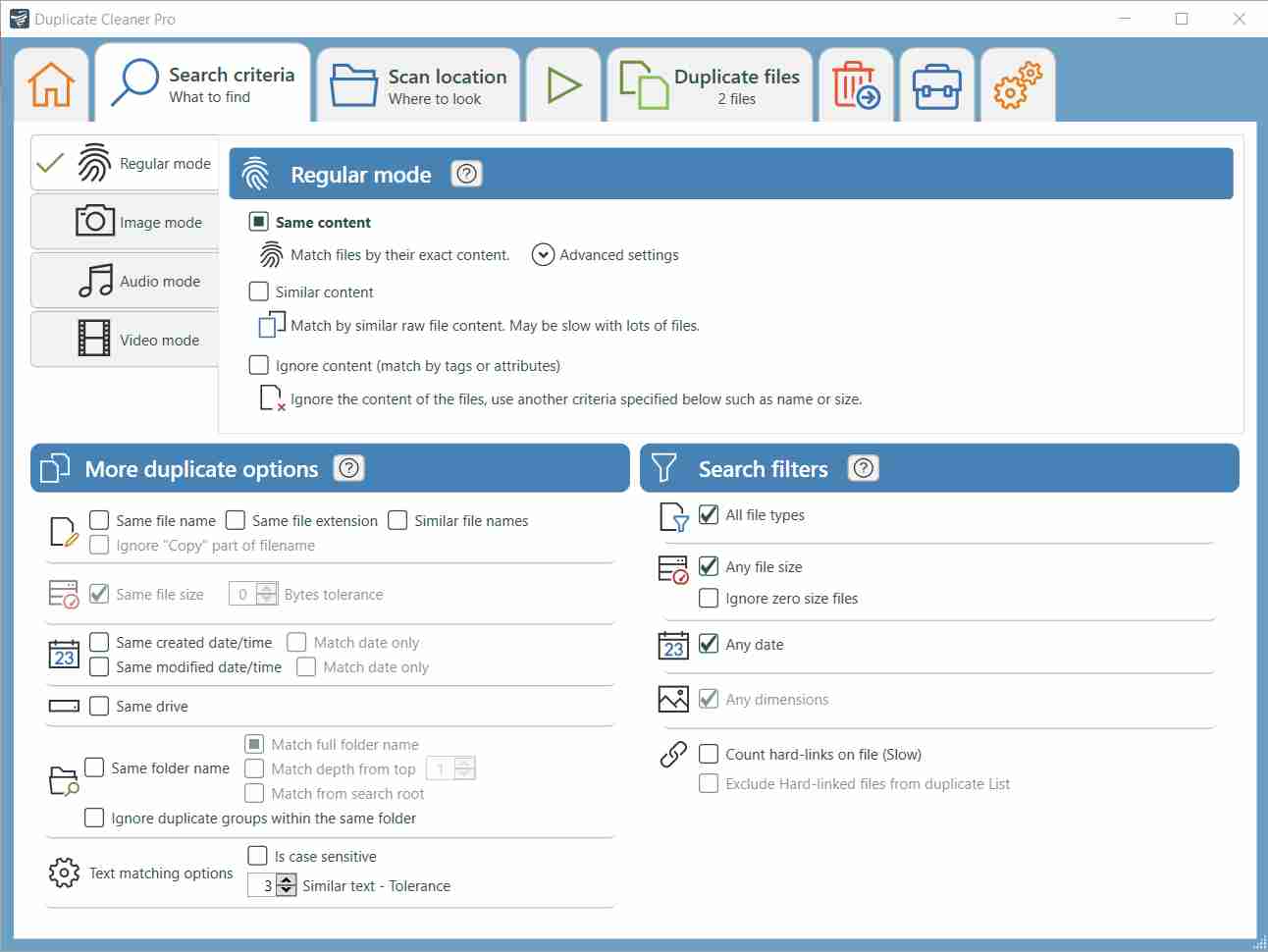
Duplicate Cleaner is option-rich and very configurable. If you know about tech or computer, you may find this app powerful. But, if you are not very compatible with tech, this app can feel overwhelming to you and is not the best choice.
Duplicate Cleaner has two editions: Free and Pro. If you are just looking for an easy way to eliminate duplicate photos, the Free edition is sufficient. It has fewer settings and options, making it easier to use.
The Pro edition provides an Image mode, which is dedicated to handling image files, including RAW images. It supports BMP, JPEG, GIF, PNG, PCX, TGA, ICO, HEIC, WEBP and more. This mode allows you to find photos that are exactly the same, very similar, or loosely similar, based on your settings.
This duplicate photo cleaner offers several modes for you to view duplicates. And with dozens of options, its Selection Assistant feature can help you quickly select unwanted duplicates for deletion, though you may need to spend time exploring the various options available.
Pros
- Scan for duplicate pictures and other duplicate files
- Find similar pictures too
- Provide multiple scan modes and view mode to choose from
- Make it easy to delete duplicates
- Very customizable
- Come with a wizard to guide you through the steps
Cons
- Not beginner-friendly
- Slow when using the Image mode
#5 Ashisoft Duplicate Photo Finder
Compatibility: Windows 11, 10, 8.1, 8, 7; both 32- and 64-bit
Latest version: 1.7.0.1
My take: It's a simple but helpful app to help users deal with duplicate photos.
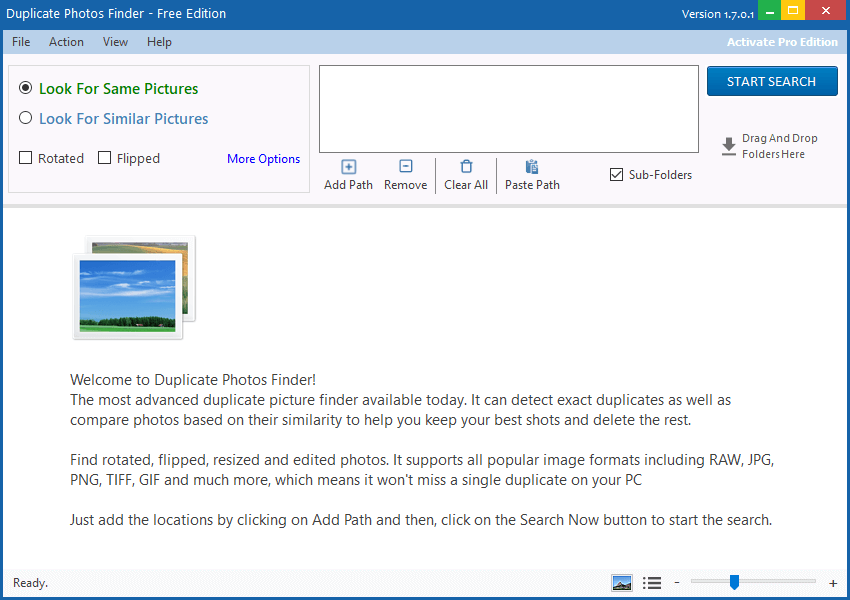
If you are new to duplicate photo finder software and only need a simple tool to help you those duplicates in your photo collections, Ashisoft Duplicate Photo Finder can be your choice due to its simple design and beginner-friendly interface.
This app is designed to look for both identical and similar photos. Its detection for duplicates is accurate. However, it doesn’t do a good job of identifying similar photos. It offers three levels of similar image detection, from very similar to loosely similar. But none returned relatively satisfying results in my tests.
There are two view modes and a preview pane to help you easily review duplicate photos that have been found. And clicking a photo will display both preview and basic information like name and size. You can use the Auto Mark feature to quickly select all duplicates and then delete them with a single click.
Pros
- Identical and similar image detection
- Let you exclude specific folders
- Offer side-by-side view along with a preview pane
- Make it easily to bulk delete duplicates
- Straightforward and beginner-friendly interface
Cons
- The Look for Similar Pictures feature not that helpful
#6 Awesome Duplicate Photo Finder
Compatibility: Windows 11, 10, 8, 7, Vista, 2003, XP, 2000
Latest version: 1.2.1, released in September 2023
My take: It’s a free duplicate photo finder with reliable performance and a simple interface.
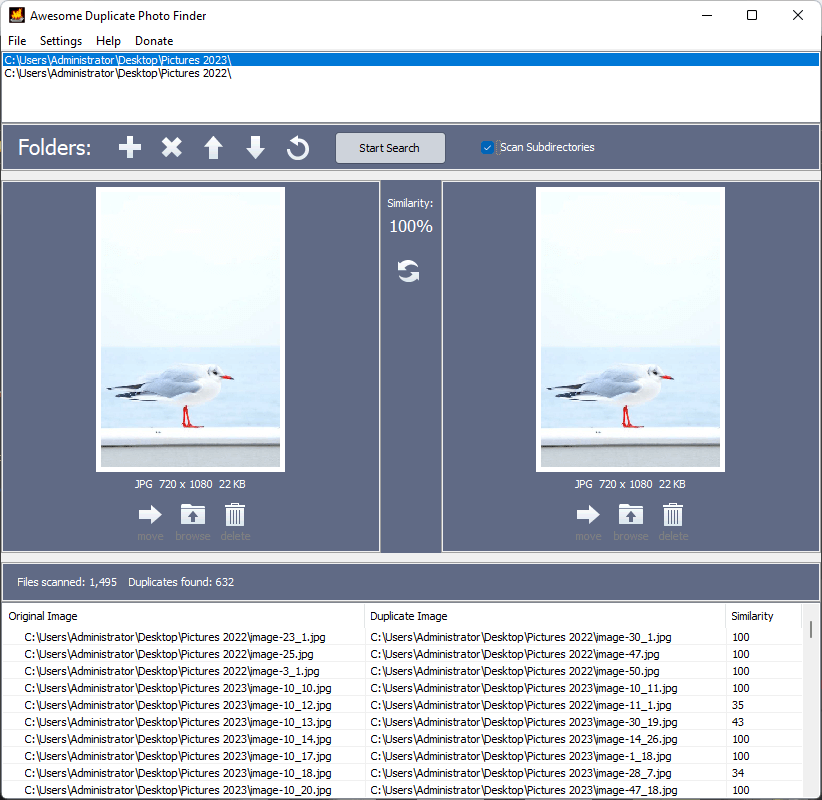
Are you in search of a good app to find and delete duplicate photos on Windows 10 or 11 for free? Check out Awesome Duplicate Photo Finder.
Despite being freeware, it has all the makings of a good basic duplicate picture finder. In addition to four major image formats, it supports CR2, a Canon RAW format.
This free app excels at finding duplicate images and can also detect similar images. In testing, it successfully found compressed or recolored photos but failed to find other similar photos. Thanks to the preview feature, you can easily preview and compare found photos side by side.
But there can be a big drawback. You have to manually select undesired duplicates for removal one by one, since there is no way to automate the process or mass select duplicates. So this can make the cleanup process tedious and time-consuming.
Pros
- Capable of identifying identical and certain similar photos
- Let you conveniently preview images
- Easy to use with a simple interface
- Completely free to use
- Compatible with almost all Windows versions
Cons
- Time-consuming removal process since you have to select files to remove one by one
#7 Visual Similarity Duplicate Image Finder
Compatibility: Windows 11, 10, 8.1, 8, 7, Vista; both 32- and 64-bit
Latest version: 9.3.0.1
My take: It’s a feature-rich Windows duplicate photo finder that might be for more advanced users.
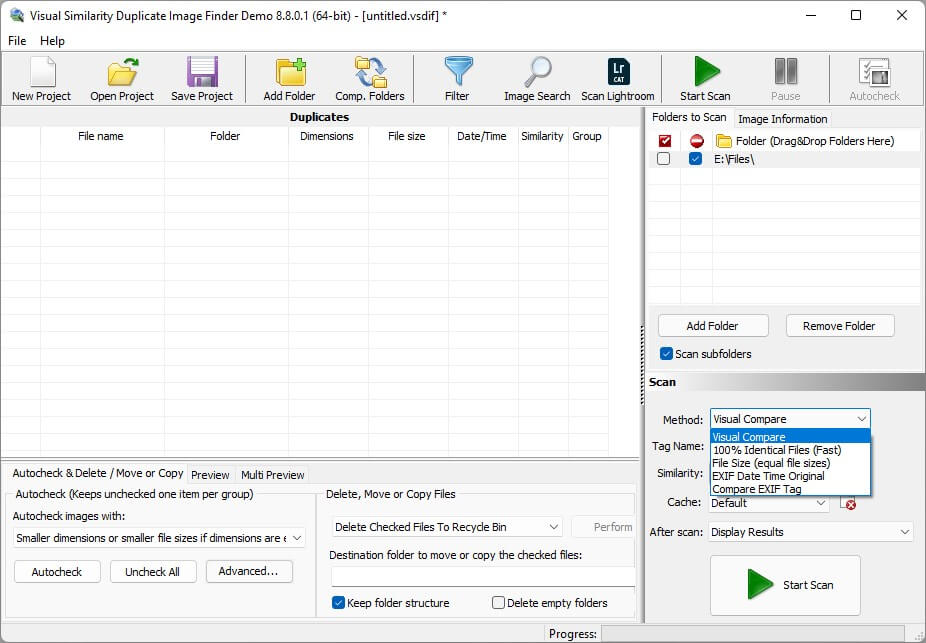
Visual Similarity Duplicate Image Finder is a feature-rich and highly customizable duplicate photo finder for Windows 11, 10, and earlier. It can help users find both duplicate and similar images. However, the interface may be confusing for beginners.
The app scans folders and Lightroom Classic for duplicate or similar photos, depending on your settings. There are four scan methods. We recommend the first two: Visual Compare and 100% Identical Files (Fast). If you only want to search for exactly identical photos, choose the 100% Identical Files (Fast) method.
With Visual Compare, you can find exactly identical photos, very similar photos, and other similar photos. You can adjust the Similarity level, which is 95% by default.
This app has a sophisticated feature to help users select duplicate photos for elimination. For example, in each group of duplicates, you can set it to select the smaller or newer one(s) to delete, or specify an image format (such as .jpg).
There is a Standard edition (enough for most personal users), a Pro edition and a Corporate edition.
Pros
- Scan for photos that are the same or similar
- Offer multiple scan methods to meet different needs
- Allow you to compare two folders for duplicate photos
- Support Lightroom Classic
- Support various RAW image formats
- Offer a side-by-side preview feature
- Highly configurable
Cons
- Potentially confusing interface
- Some scan methods are slow
- Sometimes can’t be installed successfully
#8 Easy Duplicate Finder
Compatibility: Windows 11, 10, 8.1, 8, 7, XP
Latest version: 7.34.0.72, released in June 2025
My take: It’s a pretty easy-to-use app to look for and clear duplicate photos on a PC.
Thanks to the straightforward and easy-to-navigate interface, this app is indeed easy to use, even for beginners.
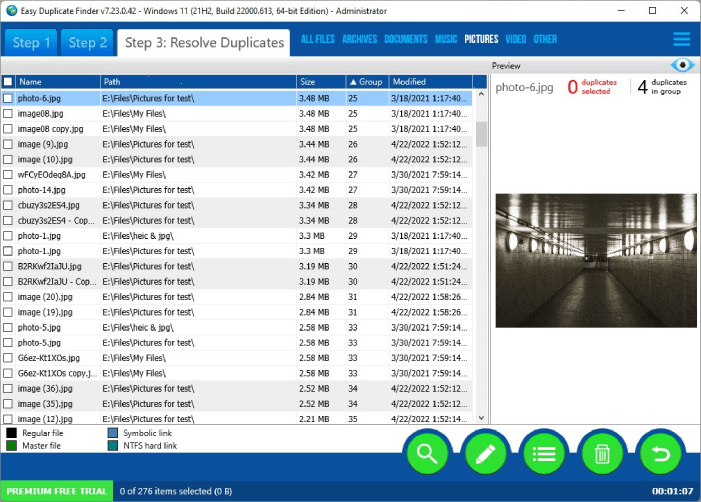
The app offers several scan modes, with the default mode being the best for scanning for duplicate photos on your computer. By default, the scan searches for all duplicate files. But you can set it to focus solely on images and skip other file types.
When the scan is complete, you will be presented with the results window, which neatly displays the found duplicates. There’s a built-in preview feature, which is hidden by default. You can make it visible with a simple click.
This duplicate photo remover has an efficient selection feature, which makes the removal process quick and efficient. It offers three sets of preset selection rules, each set containing several rules. In most cases, the Select all duplicates rule is sufficient. However, if you have specific preferences for which files to keep or delete, you can choose a rule that best meets your needs.
Pros
- Search for duplicate photos and other duplicates
- Provide multiple scan modes
- Display search results in a neat and easy-to-view way
- Help you easily clean up unwanted duplicates at once
- Very easy to use
Cons
- Preview feature needs improvement
FAQs
How do I find and delete duplicate photos in Windows?
There are two methods: doing it manually and using a dedicated app (like the ones discussed in this article). The latter is recommended due to high efficiency.
Does Windows have a duplicate photo finder?
The answer is yes for Windows 10 and 11. Because the built-in Microsoft Photos app comes with duplicate detection.
Is there a truly free duplicate photo finder for Windows?
Yes. Awesome Duplicate Photo Finder, as mentioned above, is completely free to use. Users can access and use all its features for free. In addition, there’s a free, open-source app called dupeGuru, which, however, lacks a decent preview feature. (A good preview feature is important for apps of this kind.)
What is the best app to delete duplicate photos?
There are some great choice out there. Which one is the best? It really depends on your specific needs. All in all, I prefer Cisdem Duplicate Finder. For those who prefer freeware, I recommend Awesome Duplicate Photo Finder.

With a passion for tech and writing, Sarah joined Cisdem, where she focuses on creating articles about using utility tools to enhance file management and simplify contact management.

Adrian Li is Cisdem’s Chief Engineer and serves as the editorial advisor for Duplicate Finder and ContactsMate. His work and insights have been featured in leading tech publications such as Fossbytes, TUAW, Redmond Pie, SafetyDetectives, and BestForAndroid.
Louis
Microsoft Photos could be helpful, but I have so many duplicates to get rid of. I guess I'll try the Cisdem app.
Diana
Thanks to this article, I cleaned up many duplicate files scattered on my computer, especially duplicate pictures, which take up a lot of space and make my computer run slower.
Antje Conradi
I have thousands of photos on my computer and there’re too many duplicates. Now I got back over 3 GB of space after using the first software you recommended. Thanks so much!!